Recover Lost Data from
Any Storage Device

Restore deleted photos, videos, documents, and emails from Hard Drives, SSDs, USBs, and SD Cards with 99.9% recovery rate. Trusted by IT Admins worldwide.

✓ 100% Safe & Secure ✓ 30-Day Money Back ✓ 24/7 Support
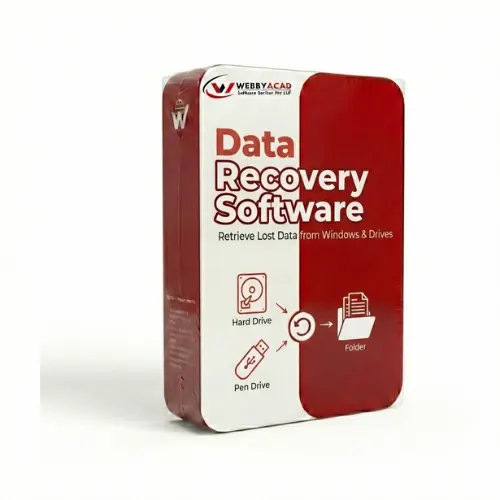
Data Recovery Software Box

TRUSTED BY IT ADMINS AT

MICROSOFT IBM CISCO DELL HP

Watch It In Action

See how easily you can recover your deleted files.

Powerful Recovery Features

Comprehensive tools to handle every data loss scenario with precision.

Deleted File Recovery

Recover accidentally deleted files even after emptying the Recycle Bin or using Shift+Delete.

Formatted Drive Recovery

Restore data from formatted hard drives, partitions, USB drives, and memory cards efficiently.

Partition Recovery

Recover data from missing, deleted, or inaccessible partitions on your Windows system.

Raw Recovery

Deep scan technology to recover files from severely corrupted storage media or RAW file systems.

Photo & Video Recovery

Specialized algorithms to recover lost or deleted photos and videos from any camera or storage.

Corrupted Pendrive

Recover or retrive data from the corrupted, unmountable or no media supported type pendrives.

Pause & Resume

Scan your drive at your own pace. Pause the scan process and resume it later from where you left off.

Preview Before Save

Preview photos, videos, documents, and other file types before saving them to ensure correct recovery.

Technical Specifications

System requirements and supported versions.

Supported OS
Windows 11, 10, 8.1, 8, 7, Vista, XP (32 & 64 Bit) & Windows Server 2022, 2019, 2016
Supported File Systems
NTFS, FAT16, FAT32, exFAT
System Requirements
Processor: Intel® Pentium Class; Memory: 1 GB RAM (2 GB recommended); Disk Space: 100 MB
Supported Devices
Hard Drives (HDD/SSD), USB Drives, Memory Cards (SD/MicroSD), Digital Cameras, etc.

How It Works

Recover your data in simple steps with our intuitive interface.

1

Select Location

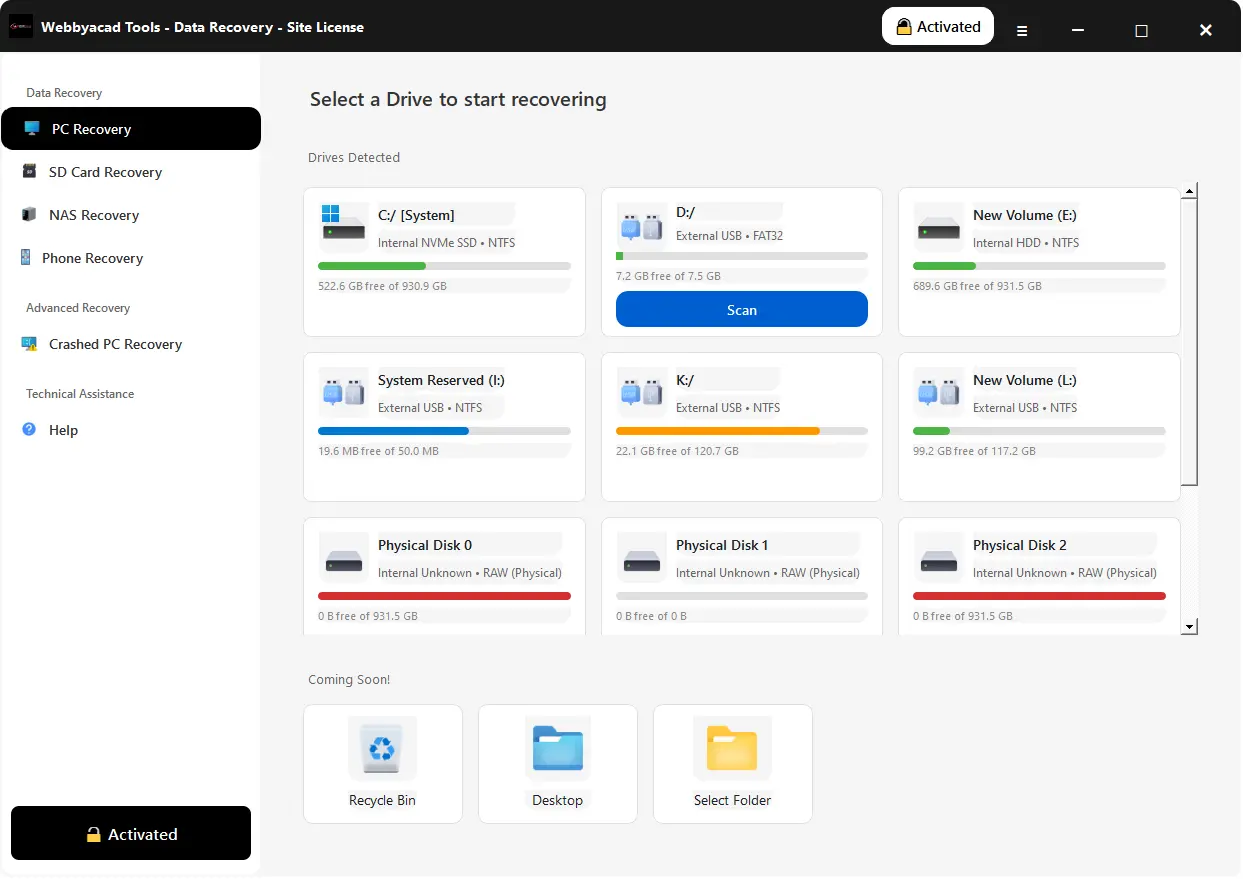
Select the drive or folder where you lost your data.

2

Scan

The tool scans the location and finds your lost files.

3

Recover

Preview and select the files you want to recover and click "Recover".

Step Screenshot

Review Demo & Full Version

Features Free Version Full Version
Scan & Find Lost Data
Preview Recoverable Files
Recover Deleted Files Up to 1GB Unlimited
Recover Formatted Drives
Supports Windows 11, 10, 8, 7
Technical Support Basic 24/7 Priority
100%
MONEY BACK GUARANTEE

30-day money-back promise.

Why Choose Webbyacad?

A premier solution tailored for complex data loss scenarios. From personal photos to enterprise databases, our advanced algorithms dig deep to restore your digital life.

Data Loss Solutions

🗑️

Accidental Deletion

Recover files lost via Shift+Delete or emptied Recycle Bin instantly.

💾

Formatted Drives

Deep scan technology locates data even on reformatted partitions/drives.

🚫

Partition Loss

Restore data from deleted, hidden, or inaccessible hard drive partitions.

🦠

Virus Attack

Heal files corrupted or hidden by malware, ransomware, or bugs.

Supported Formats

📄

Documents

DOCX, PDF, XLSX, PPTX, INDD, HTML & more

🖼️

Photos

JPG, PNG, CR2, NEF, PSD, RAW & more

🎬

Videos

MP4, MOV, AVI, MKV, 4K/8K & more

🎵

Audio

MP3, WAV, AAC, AIFF, OGG & more

We operate in strictly Read-Only mode to ensure no further damage to your drive. Your data integrity is our #1 priority.

Flexible Pricing Plans

Choose the license that suits your needs. 100% Secure Payment.

Personal

For Single User

$49
  • ✓ 1 System License
  • ✓ Recover Unlimited Data
  • ✓ Preview Included
  • ✓ Support Included
Buy Now

Business

For Small Teams

$99
  • ✓ 2-5 System Licenses
  • ✓ Recover from RAID & Server
  • ✓ Premium Support
  • ✓ Live Support Included
Buy Now

Enterprise

For Large Organizations

$169
  • ✓ 15 client machines
  • ✓ Commercial use allowed
  • ✓ Remote Recovery Support
  • ✓ Dedicated Account Manager
Buy Now

WE ACCEPT

Visa Mastercard American Express PayPal

Trusted by Professionals

See what users say about Webbyacad Data Recovery.

"I accidentally formatted my external hard drive with 500GB of photos. Webbyacad Data Recovery brought them all back! Highly recommended."

- Sarah Jenkins

"Saved my business! We lost critical documents due to a virus attack, but this software recovered everything intact."

- Mike Ross

"The deep scan feature is amazing. It found files I deleted months ago. Worth every penny."

- David Lee

"Very easy to use interface. I'm not a tech expert, but I recovered my lost videos in just 3 clicks."

- Emily Clark

Industry Recognized & Trusted

Top-rated by leading software review platforms and marketplaces.

Capterra
GetApp
ITInformer
G2 Crowd
Software Suggest
TrustRadius
Microsoft

Frequently Asked Questions

Common questions about data recovery.

Is it safe to use this software on my drive? +

Yes, Webbyacad Data Recovery operates in strictly Read-Only mode. It scans your drive without writing any data to it, ensuring your original files remain untouched.

Can I recover files from a formatted drive? +

Absolutely. Our Deep Scan technology can locate partitions and files even after the drive has been formatted.

How long does the scan take? +

Scan time depends on the size and speed of your drive. A Quick Scan is usually instant, while a Deep Scan helps find more files but takes longer.

Restore Your Digital Life Today

Join 10M+ satisfied users who trust Webbyacad for recovery.