MBOX to PDF
Converter Tool

Batch convert MBOX files to PDF format with 100% accuracy. Preserve attachments, formatting, and folder hierarchy securely.

✓ 100% Safe & Secure ✓ 30-Day Money Back ✓ 24/7 Support
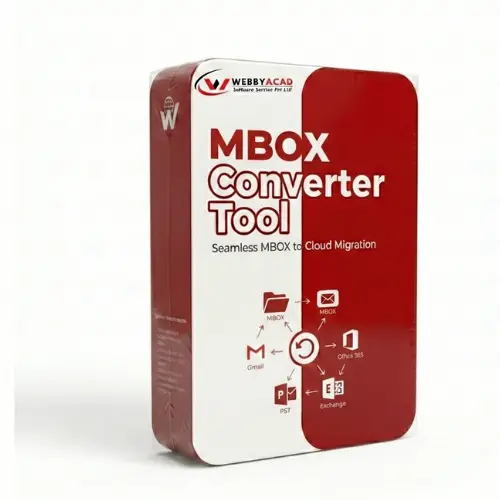
MBOX to PDF Converter Box

TRUSTED BY ORGANIZATIONS

XEROX WALMART DELL DELOITTE HP

Watch It In Action

See how easily you can convert MBOX files to PDF securely.

Advanced MBOX to PDF Features

Comprehensive tools to handle bulk MBOX to PDF conversion efficiently.

Batch PDF Conversion

Add single or multiple MBOX files and convert them all to PDF format in one go. No file size restrictions.

Save Attachments

Option to embed attachments directly into the PDF file or save them in a separate folder for easy access.

Preserve Formatting

Maintains original email structure, headers (To, Cc, Bcc, Date), formatting, and inline images in the output PDF.

Folder Hierarchy

Keeps the original folder structure of your MBOX files intact, ensuring your PDFs are organized exactly like your mailbox.

Google Takeout Support

Seamlessly convert MBOX files downloaded from Google Takeout (Gmail Backup) to PDF format for printing or legal use.

Advanced Naming

Save PDF files with custom naming conventions (e.g., Subject + Date, From + Subject) for better file organization.

Detailed Preview

Load user mailboxes and preview every email item with attachments in a dedicated pane before starting the conversion.

Secure & Reliable

100% secure tool that operates in read-only mode, guaranteeing your original MBOX data is never modified or compromised.

Technical Specifications

System requirements and supported versions.

Version
1.7.0
Windows OS
Windows 11, 10, 8.1, 8, 7 (32 & 64 Bit) & Windows Server 2022, 2019, 2016
System Requirements
Processor: Intel® Pentium Class; Memory: 2 GB RAM (4 GB recommended); Disk Space: 100 MB
Supported Sources
Thunderbird, Apple Mail, Google Takeout, Eudora, Entourage, Netscape, Spicebird, etc.
Output Format
PDF (Portable Document Format) with Attachments

How It Works

Convert MBOX to PDF in 3 simple steps.

1

Add MBOX File

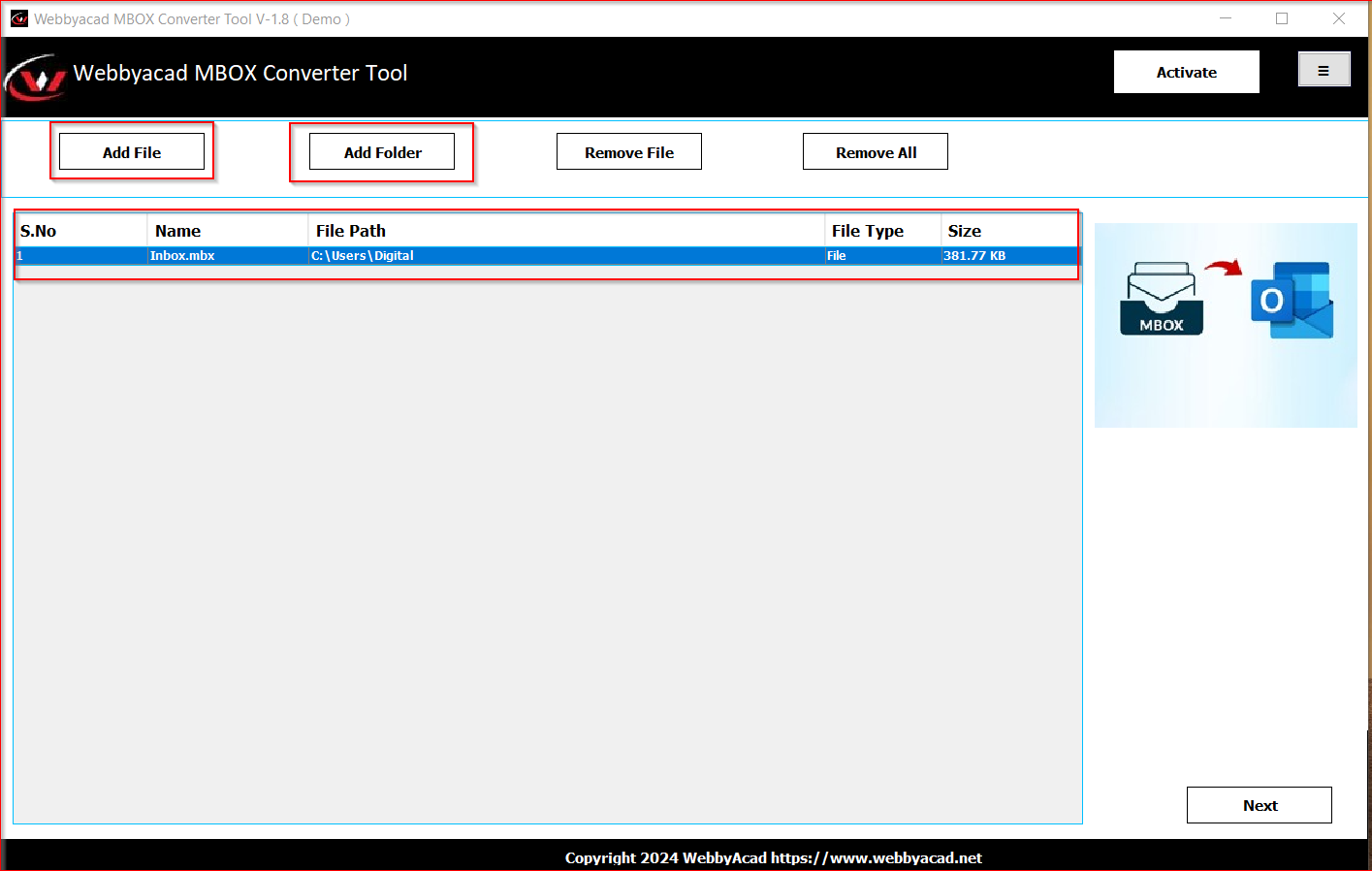
Click on "Add File" or "Folder" to load your MBOX data.

2

Preview Data

View emails, select folders, and verify content.

3

Export to PDF

Select "PDF" as the export options and click Convert.

Add MBOX File

Click on "Add File" or "Folder" to load your MBOX data.

Step Screenshot

Comparison: Free vs Full Version

Features Free Version Full Version
Add MBOX Files/Folders
Preview Emails & Attachments
Convert to PDF 15 Items/Folder All Items
Save Attachments
Specific Date Filtering
Technical Support Basic 24/7 Priority
100%
MONEY BACK GUARANTEE

30-day money-back promise.

Why Choose Webbyacad?

The ultimate tool for seamless MBOX to PDF conversion. Trusted for legal, archiving, and printing needs.

Smart Conversion

📄

Batch PDF Export

Convert hundreds of MBOX files to individual PDF documents efficiently.

📎

Attachment Handling

Smartly manage attachments by embedding them or saving them to a folder.

🏷️

Naming Conventions

Organize output PDF files with various file naming options for easy sorting.

⚖️

Legal & Compliance

Ideal for legal discovery and hard copy archiving requirements.

Supported Ecosystem

📨

Source Clients

Thunderbird, Apple Mail, Google Takeout, Entourage & more

📤

Output Formats

Adobe PDF (Portable Document Format)

📎

Attachments

Preserves all attachment types within the converted PDF

💻

Compatibility

Supports Windows 11, 10, 8, 7 and Windows Server versions

We operate in strictly Read-Only mode to ensure your original MBOX files are never altered.

Flexible Pricing Plans

Choose the license that suits your needs. 100% Secure Payment.

Personal

For Single User

$39
  • ✓ 1 System License
  • ✓ Export MBOX to PDF
  • ✓ Save Attachments
  • ✓ Standard Support
Buy Now

Business

For Small Teams

$69
  • ✓ Business System License
  • ✓ Export MBOX to PDF
  • ✓ Naming Conventions
  • ✓ Live Support Included
Buy Now

Enterprise

For Organizations

$99
  • ✓ Corporate License
  • ✓ Unlimited PDF Conversion
  • ✓ Lifetime Upgrades
  • ✓ Exclusive Product Support
Buy Now

Site

For Multiple Sites

$169
  • ✓ Multiple Sites & Machines
  • ✓ Unlimited Conversion
  • ✓ Priority Support
  • ✓ Free Lifetime Upgrades
Buy Now

WE ACCEPT

Visa Mastercard American Express PayPal

Trusted by Professionals

See what users say about WebbyAcad MBOX to PDF Converter.

"An amazing process in automated mode handled all process itself. This program is so helpful that I was able to select all desired emails and some folders from my Thunderbird client to PDF."

- David Baze

"I needed to print my MBOX emails for a legal case. This tool converted everything to PDF with the headers perfectly intact. The attachment handling is superb."

- Sarah Jenkins

"Great tool for archiving. I converted my entire Google Takeout archive to PDF for long-term storage. The folder hierarchy feature saved me hours of reorganization."

- Mike Roberts

Industry Recognized & Trusted

Top-rated by leading software review platforms and marketplaces.

Capterra
GetApp
ITInformer
G2 Crowd
Software Suggest
TrustRadius
Microsoft

Frequently Asked Questions

Common questions about MBOX to PDF conversion.

Does this tool support bulk conversion of MBOX files? +

Yes, the software features a bulk conversion mode. You can select a folder containing multiple MBOX files, and the tool will batch convert them all to PDF files simultaneously.

How does it handle attachments? +

The MBOX to PDF Converter offers two options: You can either embed the attachments directly within the PDF file or save them in a separate folder linked to the PDF.

Can I convert Google Takeout MBOX files? +

Yes, the software fully supports MBOX files exported from Google Takeout (Gmail). It can handle large MBOX files without any issues.

Is there a free trial available? +

Yes, you can download the free demo version. It allows you to convert the first 15 emails from each folder to PDF, so you can evaluate the software's performance before purchasing.

Is it safe to use WebbyAcad tools on my original files? +

Yes, our tools operate in a read-only mode on your source files. This ensures that your original data remains untouched and 100% safe.

Secure Your Data Today

Join thousands of satisfied users who trust Webbyacad for their data migration.