Zimbra Converter Tool
Migrate TGZ Files

Seamlessly migrate your Zimbra mailboxes with the industry’s most reliable TGZ conversion utility. Whether you are moving to Outlook, Office 365, or PDF, WebbyAcad ensures 100% data integrity, folder hierarchy preservation, and lightning-fast processing.

  • Direct Migration to Office 365 & Exchange Server.
  • Supports Corrupt or Orphaned TGZ Files.
  • No Zimbra Desktop or Outlook installation required.
  • Military-grade Encryption for Data Security.

✓ Support All Zimbra Versions ✓ Batch Conversion ✓ 100% Secure
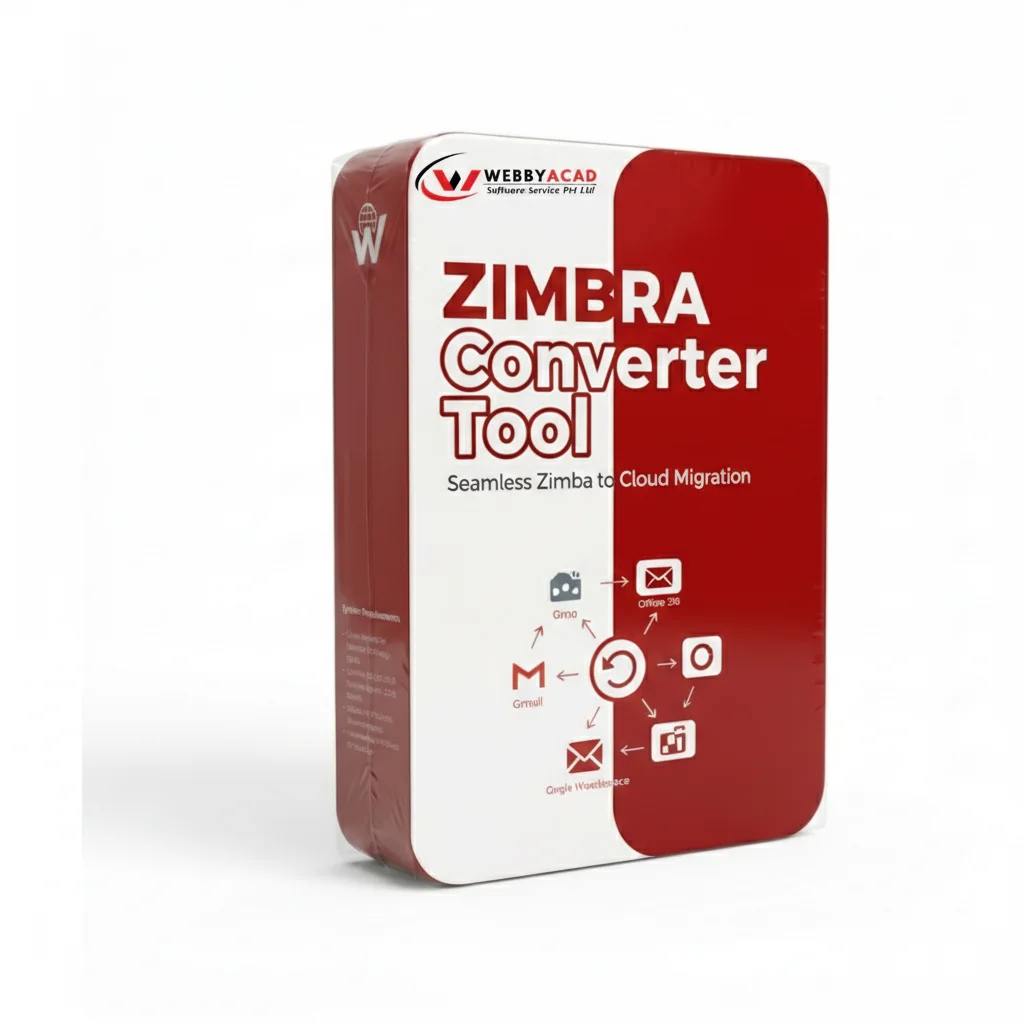
Zimbra Converter Tool Box

TRUSTED BY ORGANIZATIONS WORLDWIDE

WALMART DELL XEROX HP CISCO

Watch It In Action

See how easily you can recover and convert your OST files.

Advanced Migration Features

Complete toolkit for seamless Zimbra data migration.

Bulk & Batch TGZ Conversion

Save hours of manual labor with our high-speed batch processing engine. Load entire folders containing multiple TGZ files and convert them simultaneously into your preferred format. This feature is specifically engineered for IT administrators managing large-scale organizational migrations.

Export to 15+ Formats

Beyond standard PST and MBOX, our tool supports specialized formats like PDF for legal archiving, NSF for Lotus Notes, and CSV for spreadsheet analysis. Whether you need to move to a modern email client or a secure document storage system, we provide the right bridge for your data.

Direct Office 365 & Exchange Integration

Bypass manual imports with direct cloud mapping. Authenticate your Microsoft 365 or Live Exchange Server credentials within the tool to upload Zimbra mailboxes directly to the cloud. It supports "Impersonation" rights, allowing admins to map multiple Zimbra users to their respective O365 mailboxes in one go.

Complete Data Migration

Don't leave your workspace behind. We ensure a 1:1 migration of your entire Zimbra profile, including the Briefcase (files/folders), Distribution Lists, Task Reminders, and Calendar Appointments (with recurring patterns). Every attachment, from PDFs to embedded images, is moved with 100% fidelity.

Maintain Hierarchy

Maintain your digital organization exactly as you left it. Our tool replicates the original "Tree Structure" of your Zimbra mailbox in the destination file. All system folders (Inbox, Drafts, Sent) and user-created sub-folders remain in their exact nested positions, so you never have to waste time searching for files post-migration.

Preview Mode

Verify your data before you commit to conversion. Our advanced previewer displays emails in their original HTML/Rich Text formatting. You can view technical Hex-headers, detailed contact info, and calendar schedules, allowing you to select only the folders or specific dates you truly need.

Zero Data Loss & Integrity Protection

We use advanced bit-by-bit extraction algorithms to ensure that not a single character is altered. All Meta-Properties (To, Cc, Bcc, Subject, Date, and Time) and Internet Header information are locked in place. Your data remains on your local machine during the process, ensuring total privacy and security.

Standalone & Independent Operation

Eliminate the need for expensive software licenses. This utility is a completely standalone application; it does not require Zimbra Desktop, Zimbra Server access, or Microsoft Outlook installation to function. Just load your TGZ files and start converting instantly on any Windows environment.

Technical Specifications

System requirements for WebbyAcad Zimbra Converter.

Input Format
TGZ (Compressed), Extracted Folders, and orphaned Zimbra database files.
Output Formats
PST, MBOX, PDF, EML, MSG, HTML, CSV, vCard, ICS, Office 365, Exchange
Operating System
Windows 11, 10, 8.1, 7, and Windows Server (2022, 2019, 2016).
Hardware
1 GHz (2.4 GHz Recommended).

How It Works

Migrate your Zimbra data in 3 simple steps.

1

Add TGZ File

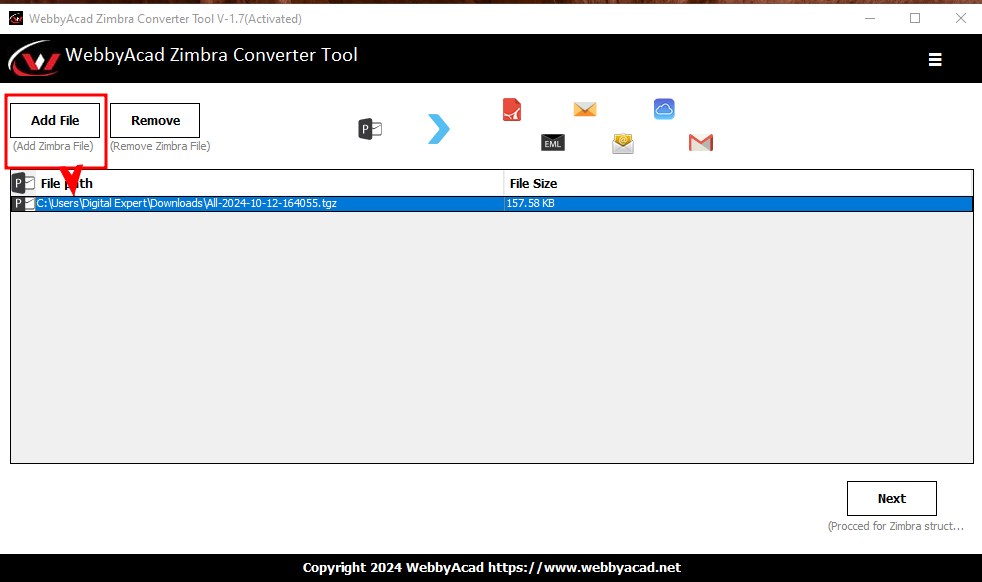
Open WebbyAcad Zimbra Converter and click "Add File" to browse your TGZ file or folder.

2

Scan & Preview

The software instantly scans and generates a tree-view of your folders. Click on any email to view a detailed preview including attachments.

3

Export

Choose your target format (e.g., Office 365 or PST), apply filters if needed, and hit "Convert" to begin the secure migration.

Add TGZ File

Load Zimbra TGZ files or extracted folders into the software.

Add TGZ Screenshot

Free Demo vs. Full Version

Features Free Demo Full Version
TGZ Scanning
Data Preview
Folder Hierarchy
Conversion Limit 15 Items/folder Unlimited Migration
Direct Cloud Export Disabled Enabled (O365/IMAP)
Technical Support Email Only 24/7 Live Support
Updates No Free Lifetime Updates
100%
MONEY BACK GUARANTEE

30-days refund policy.

Why Choose Webbyacad?

The trusted choice for accurate and secure Zimbra data migration.

Key Advantages

🔄

Complete Migration

Moves everything: Emails, Contacts, Calendar, Tasks, Briefcase.

Fast & Accurate

High-speed conversion engine preserves data fidelity.

🔒

100% Secure

Local processing ensures your data never leaves your system.

System Support

📂

Input

TGZ, Folders

📤

Output

PST, PDF, MBOX +

💻

Windows

11, 10, 8, 7

🛡️

Safe

Virus Free

License Options

Affordable one-time pricing packages.

Personal

Single System

$39
  • ✓ 1 PC License
  • ✓ Preview TGZ Files
  • ✓ Save to PST/EML/MSG
  • ✓ Standard Support
Buy Now

Business

For Business Use

$89
  • ✓ 2 PC Licenses
  • ✓ Save to PDF/Office 365
  • ✓ Batch Conversion
  • ✓ Priority Support
Buy Now

Enterprise

Multiple Machines

$169
  • ✓ 10 PC Licenses
  • ✓ Save to IMAP/Gmail
  • ✓ Free Upgrades (2 Years)
  • ✓ Dedicated Support
Buy Now

Site

For Large Orgs

$349
  • ✓ 50 PC Licenses
  • ✓ Unlimited Migration
  • ✓ Free Upgrades (3 Years)
  • ✓ Enterprise Support
Buy Now

SECURE PAIMENT VIA

Visa Mastercard Amex PayPal

What Our Users Say

Real reviews from satisfied customers.

"This was an easy conversion of TGZ emails from Zimbra backup. The precision was perfect and the interface was self-explanatory."

- Anglo Martos

"Fantastic solution to export Zimbra extracted folders to Outlook PST. Performance is good and emails are authentic."

- Derbi Stebon

"Migrated all emails from Zimbra TGZ to Office 365 in real time. Great support from the team as well."

- Grey Taylor

Recognized Excellence

Featured in top tech publications.

Capterra
GetApp
ITInformer
G2 Crowd
Software Suggest
TrustRadius
Microsoft

Frequently Asked Questions

Common questions about the Zimbra Converter Tool.

Can I convert Zimbra TGZ to PST? +

Yes, the tool specializes in converting Zimbra TGZ files to Outlook PST format while preserving all email properties.

Is direct migration to Office 365 supported? +

Yes, with Business and Enterprise licenses, you can migrate Zimbra emails directly to an Office 365 account securely.

Can it handle large TGZ files? +

Yes, WebbyAcad Zimbra Converter has no file size limit. It can process large TGZ files efficiently.

Do I need Zimbra installed? +

No, the software operates independently and does not require Zimbra Desktop or Server installation.

Can I migrate Zimbra to a new Office 365 tenant without admin credentials? +

You will need the login credentials for the destination account. Our tool uses secure OAuth and App-password protocols to ensure a direct, encrypted connection to Microsoft 365.

Ready to Migrate from Zimbra?

Download the free trial to test the features today.