 Alok Singh
In 2026, data is the lifeblood of every small business. From customer databases and financial records to years of email archives in PST or MBOX formats, losing this information isn’t just an inconvenience; it’s a potential business-ender.
According to recent industry reports, nearly 60% of small businesses that lose their data shut down within six months. This guide is designed to ensure your business isn’t part of that statistic. At WebbyAcad, we specialize in the technical nuances of data integrity; here is everything you need to know about navigating data recovery in 2026.
1. Understanding the High Stakes of Data Loss
Data loss isn’t always a dramatic “hacker” event. For most small businesses, it happens in the mundane moments. Understanding the “why” is the first step toward effective recovery.
- Hardware and System Failure: SSDs and HDDs have a limited lifespan. A sudden power surge or mechanical failure can make a drive unreadable instantly.
- Human Error: This remains the leading cause of data loss. Accidental “Shift+Delete” commands or the improper formatting of an external drive happens to the best of us.
- The “Email Crisis” number: For businesses that use Outlook or Thunderbird, corrupted PST, OST, or MBOX files can cause years of communication to be lost. This data is usually locked up without the appropriate conversion or repairing tools.
- Cyber Threats: AI-driven ransomware is even more widespread in 2026, targeting small businesses with poorly established security infrastructures.
2. Immediate actions to be taken in case of data loss.
Stop! When you realize that there has been a loss of data, these three rules will ensure that you have a high probability of recovering it:
- Stop Use: Do not append new files to the infected drive. This ensures the overwriting of the deleted data is prohibited.
- Break your connection to the network: In case of suspicions about a virus or ransomware, put the computer in isolation so that it does not infect other computers.
- Check Your Backups: Verify your cloud (Google Workspace / Office 365) and physical backups before trying to use DIY software recovery.
3. The Best Data Recovery Strategies for 2026
Small businesses need a balance between cost-effectiveness and professional reliability.
A. Software-Based Recovery
For logical data loss (deleted files, corrupted partitions), software is the most efficient route. Modern tools, like those developed by WebbyAcad, use deep-scanning algorithms that can piece together fragmented files. Whether it’s a lost SQL database or a batch of high-res marketing images, professional data recovery software can bypass the operating system’s file directory to find the raw data.
B. Email and Archive Restoration
One of the most common requests we see involves email data migration and repair. If your business is moving from an on-premise server to the cloud (like Microsoft 365), or if an employee’s offline folder (.OST) becomes orphaned, you need specialized tools to convert and restore that data without losing the folder hierarchy or attachments.
C. Physical Lab Recovery
If your hard drive is making a clicking or grinding noise, software cannot help you. In these cases, the drive must be sent to a “clean room” where technicians can manually swap components. This is the most expensive option, highlighting why prevention is so critical.
4. Why Email Recovery is Critical for Small Businesses
Emails are often the legal and operational record of a business. At WebbyAcad, we’ve seen a surge in businesses losing access to their archives during server migrations or due to oversized PST files.
- Pro Tip: Regularly use an OST to PST converter to ensure your offline data is backed up in a portable, healthy format. This prevents data “lockout” if your Exchange server goes down.
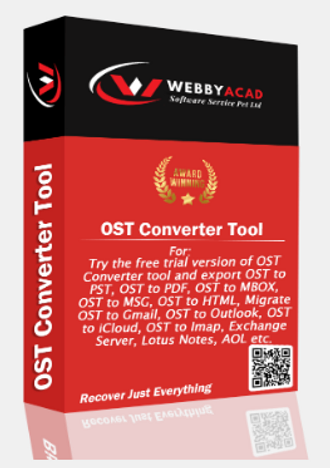
OST Converter Tool
The ultimate solution for seamless ost files to Cloud migration. Convert your data with 100% accuracy.
- Instant Cloud Migration
- Supports Office 365
- Google Workspace Ready
- 100% Secure & Reliable
5. Data Loss Prevention (DLP) Checklist
- The 3-2-1 Rule: 3 copies of data, 2 different media types, and 1 off-site (cloud).
- Employee Training: Educate staff on phishing and safe data handling.
- Regular Audits: Test your recovery software once a quarter to ensure it can still “read” your backups.
- Use Encryption: Ensure all recovered data is saved to an encrypted, secure drive.
Conclusion
Recovery of data in small businesses does not need to be a nightmare. With a combination of regular development of backup habits and professional-level recovery tools, you can help to make sure that a technical hitch won’t become a budget catastrophe.
Need to recover lost files from Windows device data securely?
Test the WebbyAcad data recovery software relied upon by IT experts throughout the world, to ensure 100% data integrity and high-speed restoration.
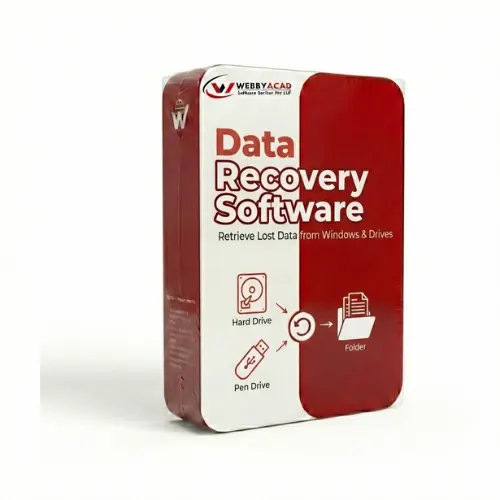
Data Recovery Software
Recover Lost Data from Any Storage Device. Recover your data with 99.9% accuracy.
- Deleted File Recovery
- Formatted Drive Recovery
- Photo & Video Recovery
- 100% Secure & Reliable